

New and Improved Messaging in the Marketplace
New & Improved Messaging in the Marketplace
Messaging in the MFG Marketplace—within the MFG platform—has been fully redesigned to support clearer RFQ conversations, smoother follow-ups, and more organized communication between buyers and suppliers.
What’s new
Threaded conversations by RFQ and participant
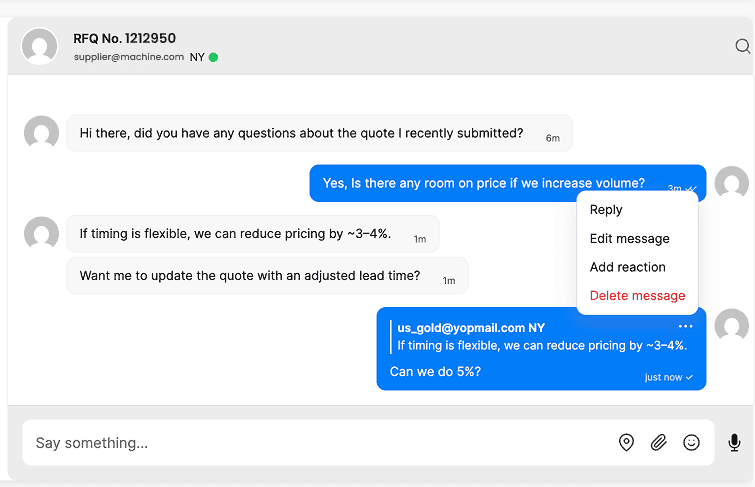
Messages are now organized into clear, threaded conversations. Starting a message about a new RFQ—or with a different buyer or supplier—creates a separate conversation, so discussions stay focused and easy to track.
The RFQ is linked directly in the chat title, allowing you to click through to the RFQ from the conversation at any time.
Built for RFQ follow-ups and clarifying questions
Messaging is most often used around RFQs—following up after submitting a quote, asking clarifying questions, requesting shop photos, or sharing updates. Now, every reply stays in the same conversation, making ongoing correspondence much easier to manage.
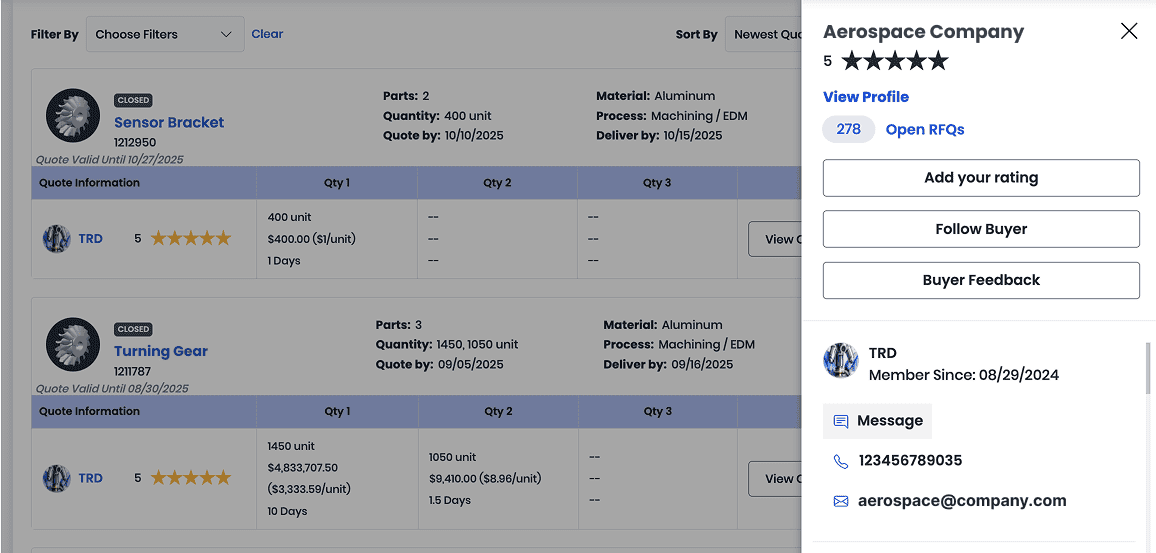
Share more context in one place
You can attach files, send images, drop a location pin, or use emoji reactions to keep conversations quick and informative. This makes it easier to show progress, share documents, or answer questions without switching tools.
Read receipts and online status
You can now see when a message has been read—two checkmarks confirm it’s been opened. You’ll also see when the other party is offline, so you know when to expect a response.
Email notifications and replies
If a recipient is offline, messages automatically trigger an email notification. They can reply directly from email, and the response will appear in the same threaded conversation in the Marketplace—keeping everything in sync.
Edit or delete messages
Sent something by accident? You can now edit or delete messages to keep conversations clean and accurate.
More convenient, easier to follow
Compared to the previous experience, the new threaded system makes it much easier to maintain context over time—especially when multiple RFQs or conversations are happening at once. You can also react to specific messages to acknowledge updates or confirm details quickly.
This update improves day-to-day communication for both buyers and suppliers, helping keep RFQ discussions organized, transparent, and easy to manage.