The MFG Dashboard Got an Upgrade

We’ve rolled out a brand-new dashboard to help you get more value out of your MFG account the moment you log in. The goal: make it easier to get set up, stay organized, and engage with the tools included in your package.

Here’s what’s new:

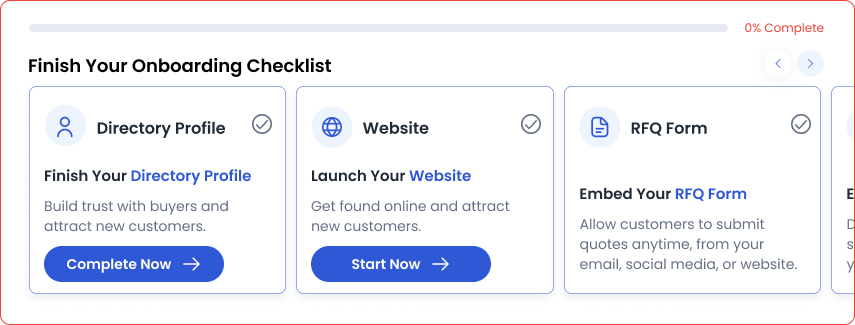
Onboarding Checklist

If you’re new to the platform, or haven’t had a chance to fully explore your account, we’ve created a guided path to help ensure you’re fully leveraging the features included with your account type.

Be sure to complete each step listed below!

  • Complete your Directory Profile
  • Launch your Website
  • Access more jobs through the MFG Marketplace
  • Quote an RFQ using Quote Assist
  • Submit a Materials Quote Request
  • Embed and share your RFQ Form

Quick Links Panel

The Quick Links panel is designed to help you use what you’re paying for. It lets you quickly access all your essential tools, right where you need them.

  • Quote Intelligence: Get data-backed guidance to quote smarter. 
  • RFQ Form: Copy and share your Private RFQ Form link instantly.
  • Website Builder: Jump in and set up your shop’s site.
  • Profile: Edit or review your Directory Profile anytime.

Latest Activity

A quick look at Marketplace activity and where you can jump in on new opportunities.

  • Marketplace Opportunities: See how many new matched jobs are available to you today.
  • Quote Insights: Review data on RFQs you’ve quoted to understand competitiveness and buyer behavior.
  • RFQs With No Quotes: Stay ahead of potential work you haven’t responded to yet.

This section gives you a real-time pulse on how active your shop is—and where opportunity is waiting.

Log in to check out your updated dashboard and start putting these new tools to work.